
Move from Letterboxd to MoviePal in about five minutes.
Your ratings become tiers. Your watchlist comes with you. Nothing to retype, and the whole thing runs on your phone.
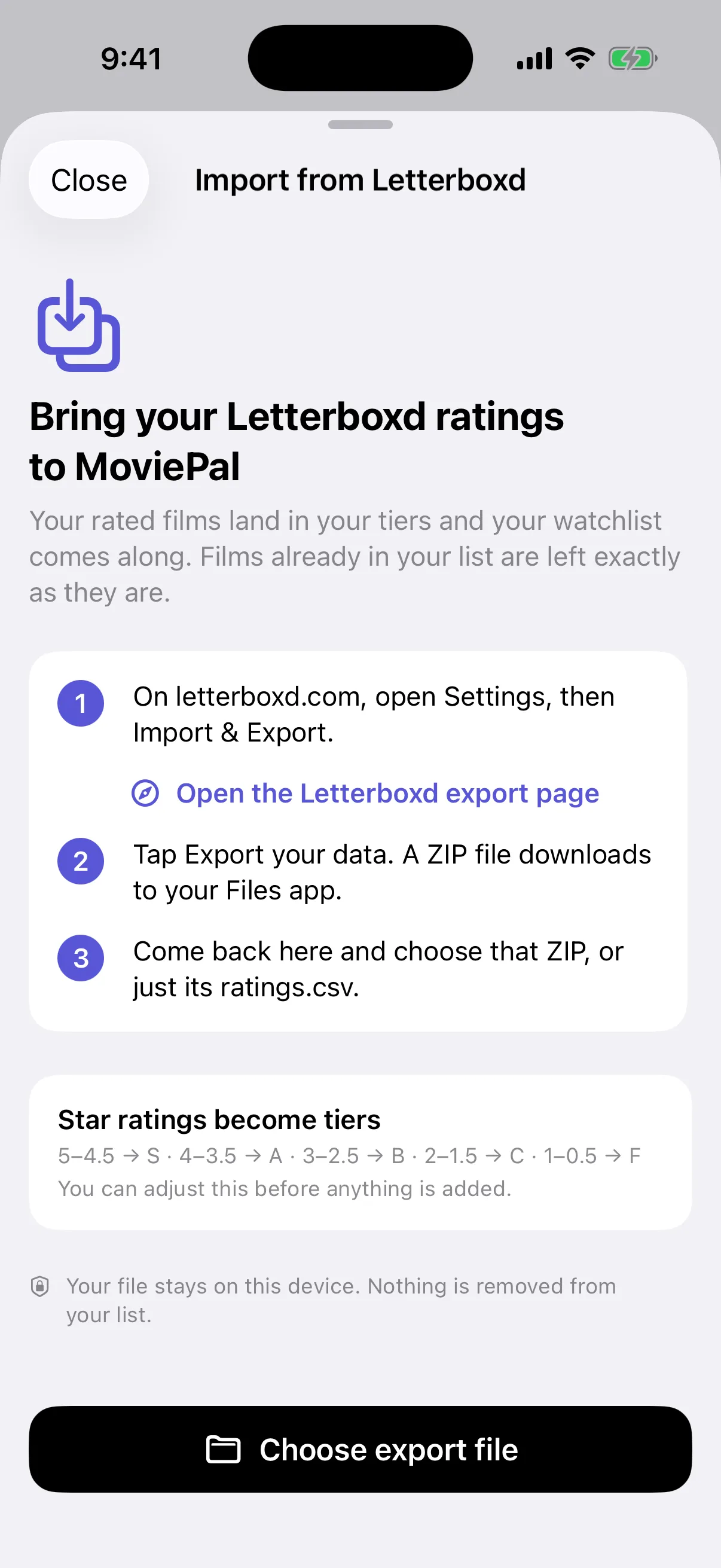
Four steps, no spreadsheet.
- 1
Export from Letterboxd
On letterboxd.com go to Settings → Import & Export → Export Your Data. Letterboxd emails you a ZIP file (it can take a few minutes).
- 2
Open the ZIP with MoviePal
On your iPhone, open the ZIP from Mail or Files, tap Share, and choose MoviePal. Or open MoviePal → Settings → Import from Letterboxd and pick the file.
- 3
Check the tier mapping
Your star ratings are mapped to tiers. The defaults fit most people, but you can move the cutoffs before anything is saved.
- 4
Import
MoviePal matches each title by name and year, adds ratings to your tier list and watchlist entries to your watchlist, and shows you anything it couldn't match so you can fix it or skip it.
How stars become tiers
The default mapping. Adjust it on the import screen if your 3-star means something different.
- 5 ★ and 4½ ★SFavorites
- 4 ★ and 3½ ★ALove it
- 3 ★ and 2½ ★BGood
- 2 ★ and 1½ ★CMeh
- 1 ★ and ½ ★FHated it
Films you logged without a rating are added to your watchlist, not your tier list, so nothing gets a tier you didn't choose. Reviews and diary entries stay on Letterboxd.
Why people switch
Tiers instead of half-stars
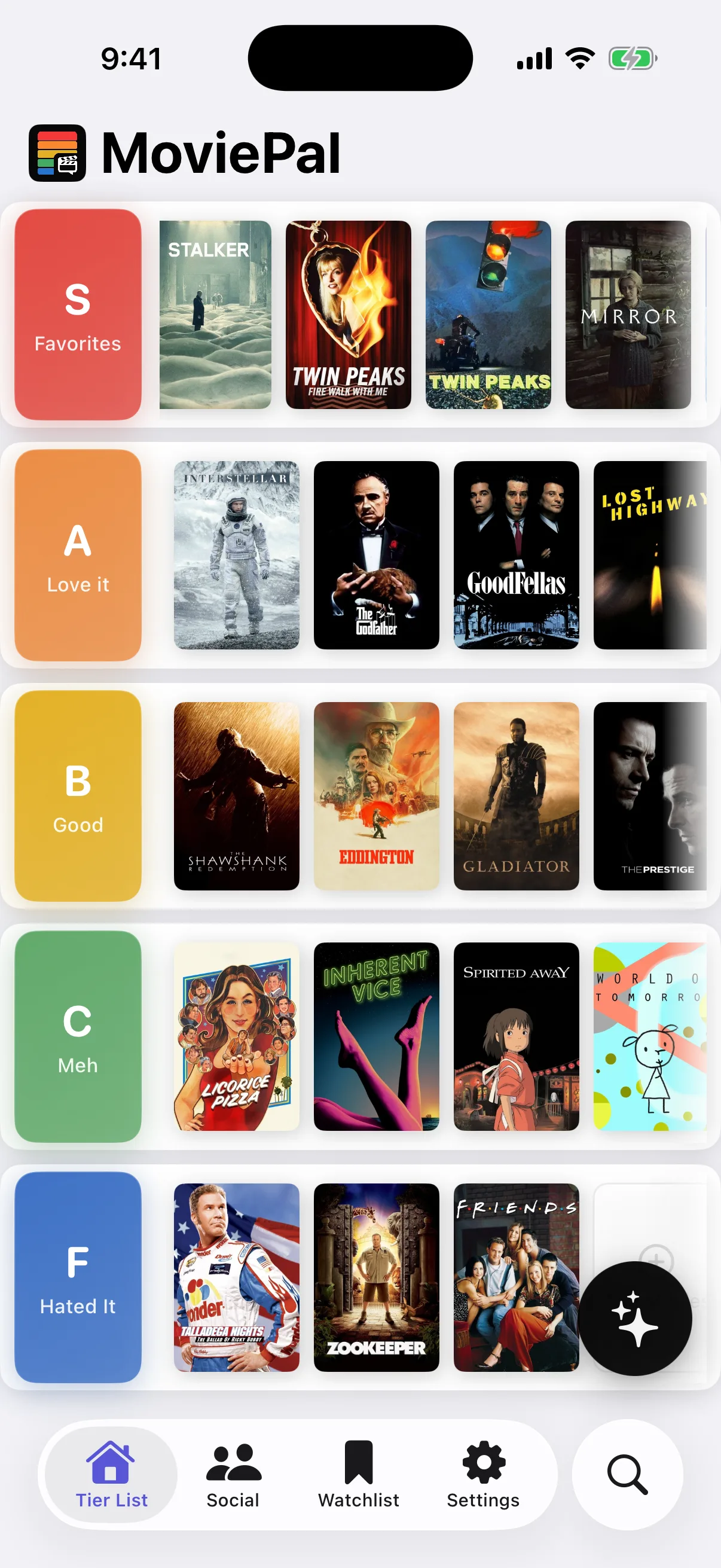
Five honest buckets beat a ten-point scale for how you actually remember movies, and they make taste comparable between people.
Recommendations that use your history
Your imported rankings immediately power a For You feed and Pal, MoviePal's AI companion. Nothing to rebuild.
Somewhere to talk about it
Match with people who rank like you, message them, and get group picks for movie night.
MoviePal is not affiliated with or endorsed by Letterboxd. The import uses the data export Letterboxd provides to every member.